The web control provides a fully interactive environment for designing, configuring and managing PandA block connections.
Components
The interface has four core components whose content changes dynamically depending on the current activity:
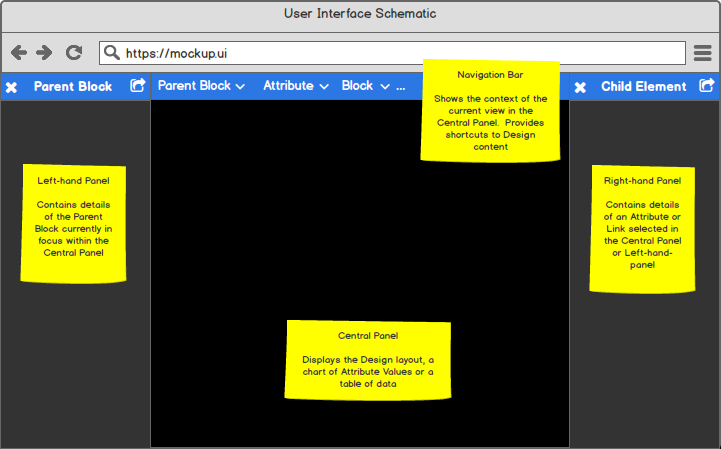
Web control UI components
| Component | Description |
|---|---|
| Navigation bar | Breadcrumb trail showing your current position within the Design, starting from the selected Root Block. Use it to move between nested levels. |
| Left-hand panel | Information about the Parent Block currently in focus. |
| Central panel | Details of the selected Attribute or the Layout view if Layout is selected. |
| Right-hand panel | Detailed information about the Block, Attribute or Link currently in focus. |
Views
Layout view
The Layout view lets you create, modify and manage the overall Design. Open it by clicking View or Edit next to the Layout attribute on any Parent Block.
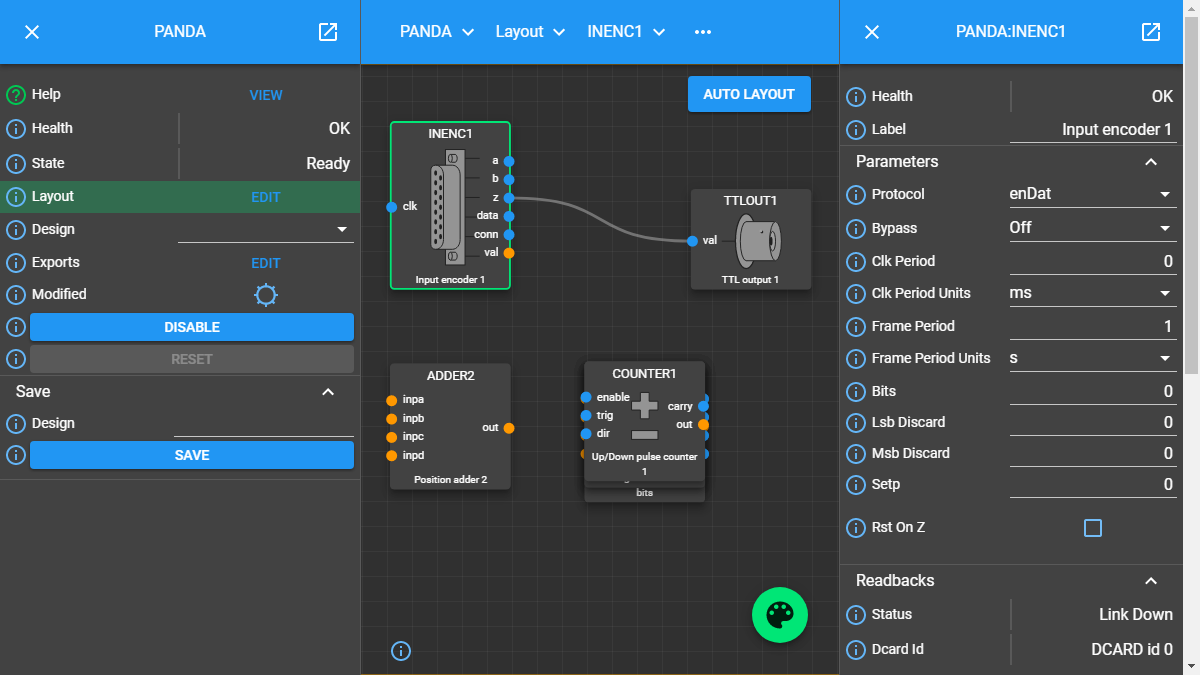
Example Layout view — PANDA system with CLOCKS block selected
In this view:
Drag blocks to rearrange them; links are re-routed automatically.
Click Auto Layout in the central panel to optimise the arrangement.
Click a block to load its details in the right-hand panel.
Attribute view
The interface transitions to Attribute view when you select an attribute from either panel:
Selecting from the left-hand panel shows more detail about that attribute in the right-hand panel.
Selecting from the right-hand panel moves the corresponding block to the left-hand panel as the new focus.
The central panel shows the attribute’s value over time as either:
Plot — an interactive line chart (pan, zoom, export). See Monitor attribute values for chart controls.
Table — a time-ordered list of value changes.
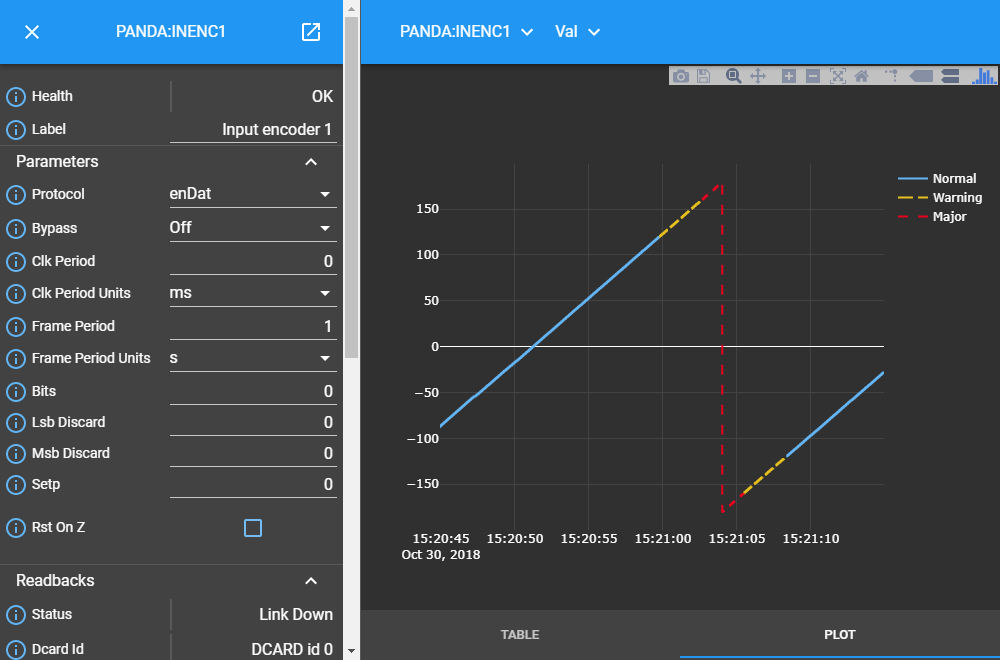
Attribute view — example plot for a continuously updated attribute
Panel popping
In complex designs you may want to monitor several blocks at once. Click the pop icon in the top-left corner of any Block Information Panel to open it in its own independent window. Multiple panels can be popped simultaneously.

Three Child Blocks (CLOCKS, COUNTER1, BITS) popped into independent windows alongside the PANDA Layout
Each independent window stays live — attribute updates are reflected in real time, and any edits you make are sent back to the PandA just as they would be from the integrated panel.