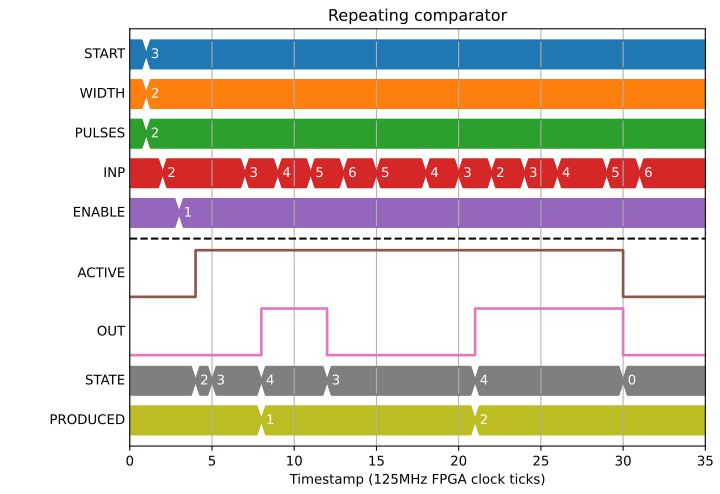
The position compare block takes a position input and allows a regular number of threshold comparisons to take place on a position input. The normal order of operations is something like this:
If PRE_START > 0 then wait until position has passed START - PRE_START
If START > 0 then wait until position has passed START and set OUT=1
Wait until position has passed START + WIDTH and set OUT=0
Wait until position has passed START + STEP and set OUT=1
Wait until position has passed START + STEP + WIDTH and set OUT=0
Continue until PULSES have been produced
It can be used to generate a position based pulse train against an input encoder or analogue system, or to work as repeating comparator.
Fields
| Name | Type | Description |
|---|---|---|
| ENABLE | bit_mux | Stop on falling edge, reset and enable on rising edge |
| INP | pos_mux | Position data from position-data bus |
| PRE_START | param int | INP must be this far from START before waiting for START |
| START | param int | Pulse absolute/relative start position value |
| WIDTH | param int | The relative distance between a rising and falling edge |
| STEP | param int | The relative distance between successive rising edges |
| PULSES | param | The number of pulses to produce, 0 means infinite |
| RELATIVE | param enum | If 1 then START is relative to the position of INP at enable |
| DIR | param enum | Direction to apply all relative offsets to |
| ACTIVE | bit_out | Active output is high while block is in operation |
| OUT | bit_out | Output pulse train |
| HEALTH | read enum | Error details if anything goes wrong |
| PRODUCED | read | The number of pulses produced |
| STATE | read enum | The internal statemachine state |
Position compare is directional
A typical example would setup the parameters, enable the block, then start moving a motor to trigger a series of pulses:
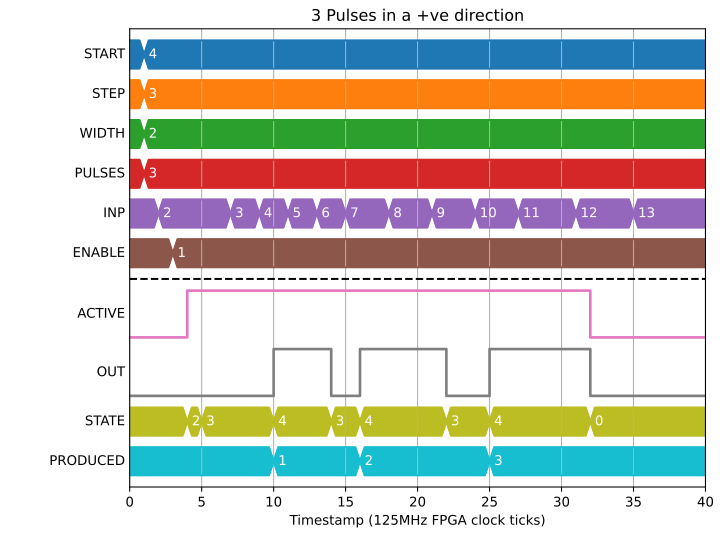
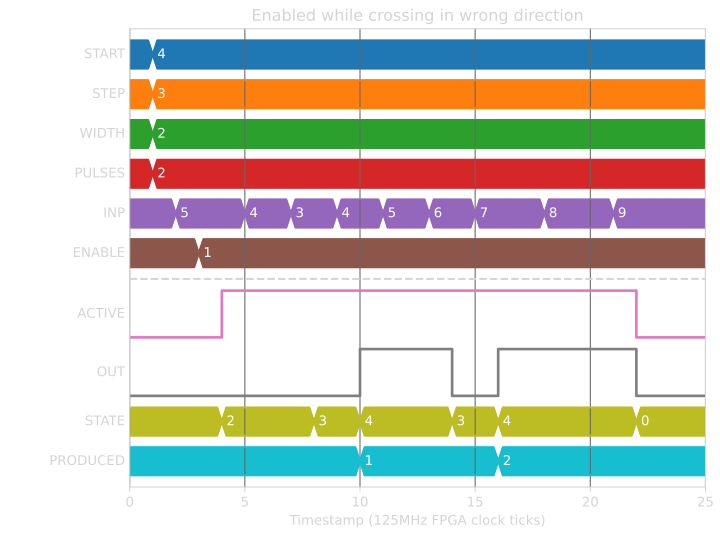
But if we get the direction wrong, we won’t get the first pulse until we cross START in the correct direction:
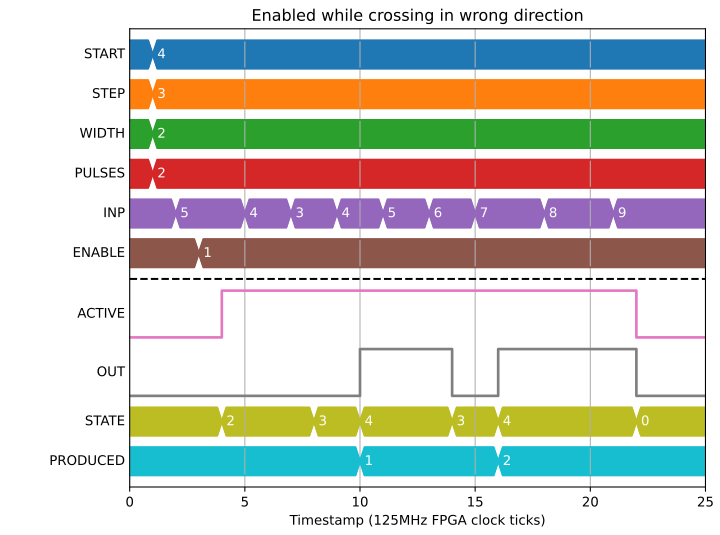
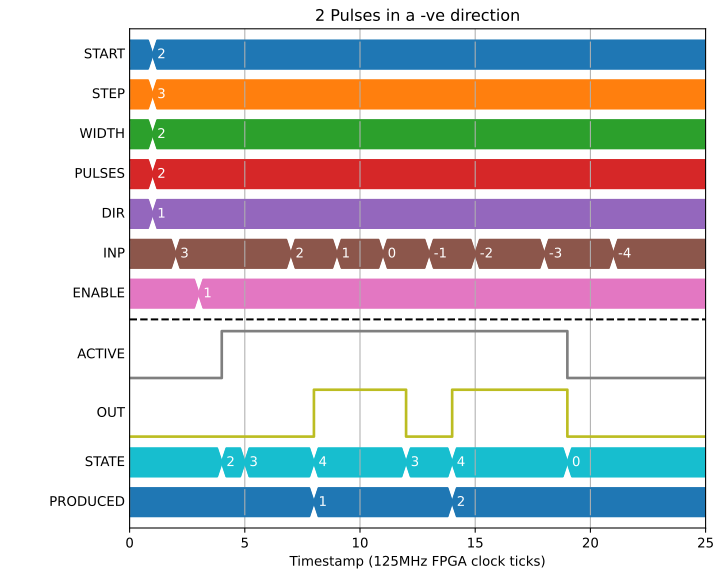
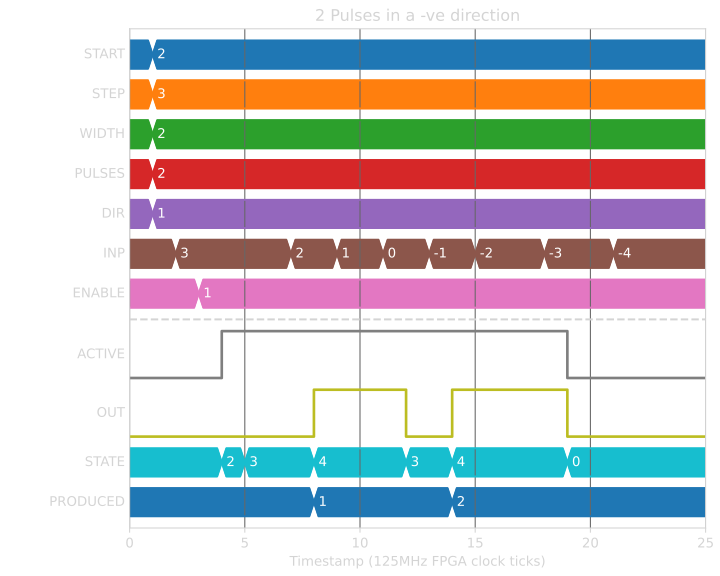
Moving in a negative direction works in a similar way. Note that WIDTH and PULSE still have positive values:
Internal statemachine
The Block has an internal statemachine that is exposed as a parameter, allowing the user to see what the Block is currently doing:
digraph pcomp_sm {
     WAIT_ENABLE [label="State 0\nWAIT_ENABLE",]
     WAIT_DIR [label="State 1\nWAIT_DIR"]
     WAIT_PRE_START [label="State 2\nWAIT_PRE_START"]
     WAIT_RISING [label="State 3\nWAIT_RISING"]
     WAIT_FALLING [label="State 4\nWAIT_FALLING"]

     WAIT_ENABLE -> WAIT_DIR [label="rising ENABLE\n & DIR=EITHER ",fontsize=13]
     WAIT_ENABLE -> WAIT_PRE_START [label=" rising\n ENABLE ",fontsize=13]
     WAIT_ENABLE -> WAIT_FALLING [label="rising\nENABLE\n& RELATIVE\n& START=0",fontsize=13]

     WAIT_DIR -> WAIT_ENABLE [label=" Can't guess\n DIR \n or Disabled "]
     [fontsize=13]
     WAIT_DIR -> WAIT_PRE_START [label=" DIR\n calculated ",fontsize=13]
     WAIT_DIR -> WAIT_FALLING [label=" DIR calculated \n & \n no PRE_START"]
     [fontsize=13]

     WAIT_PRE_START -> WAIT_ENABLE [label=" Disabled "][fontsize=13]
     WAIT_PRE_START -> WAIT_RISING [label=" < PRE_START > "][fontsize=13]

     WAIT_RISING -> WAIT_ENABLE [label="jump >\nWIDTH + STEP\n or Disabled "]
     [fontsize=13]
     WAIT_RISING -> WAIT_FALLING [label=" >= pulse ",fontsize=13]

     WAIT_FALLING -> WAIT_ENABLE
     [label=" jump > \nWIDTH + STEP\n or Finished \nor Disabled",fontsize=13]
     WAIT_FALLING -> WAIT_RISING [label=" >= pulse \n + WIDTH "]
     [fontsize=13]
}
Not generating a pulse more than once
A key part of position compare is not generating a pulse at a position more than once. This is to deal with noisy encoders:
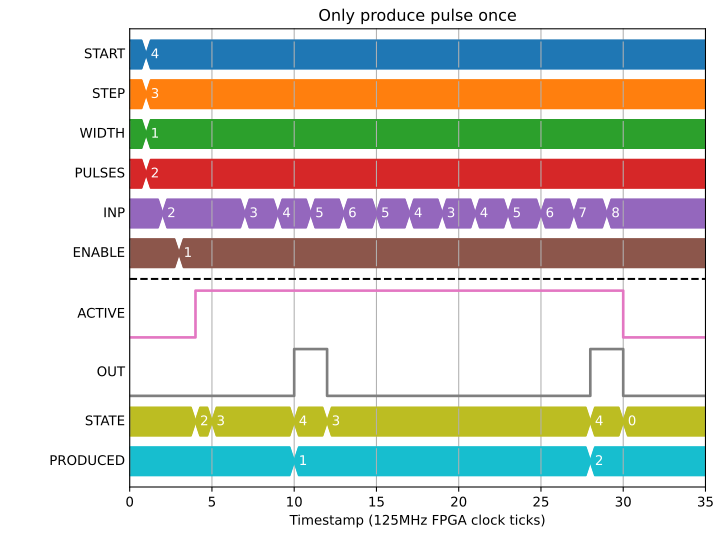
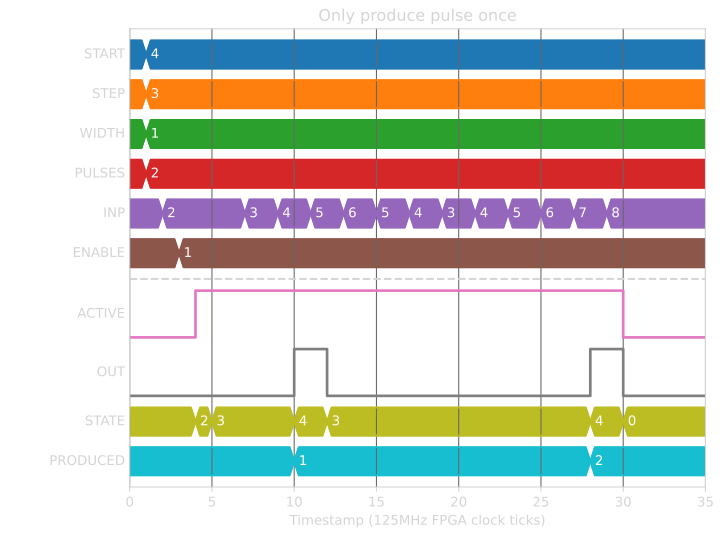
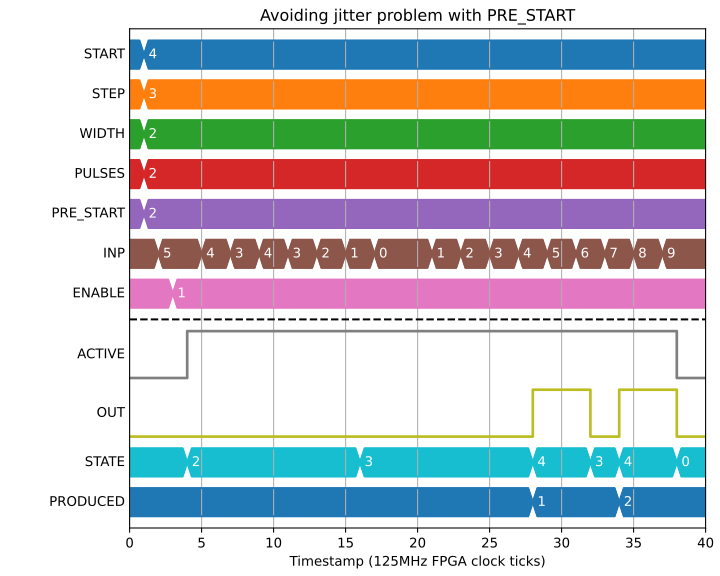
This means that care is needed if using direction sensing or relying on the directionality of the encoder when passing the start position. For example, if we approach START from the negative direction while doing a positive position compare, then jitter back over the start position, we will generate start at the wrong place. If you look carefully at the statemachine you will see that the Block crossed into WAIT_START when INP < 4 (START), which is too soon for this amount of jitter:
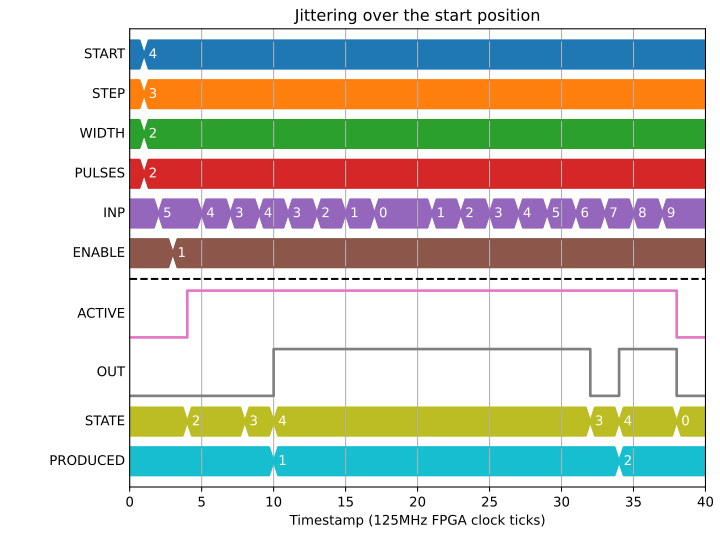
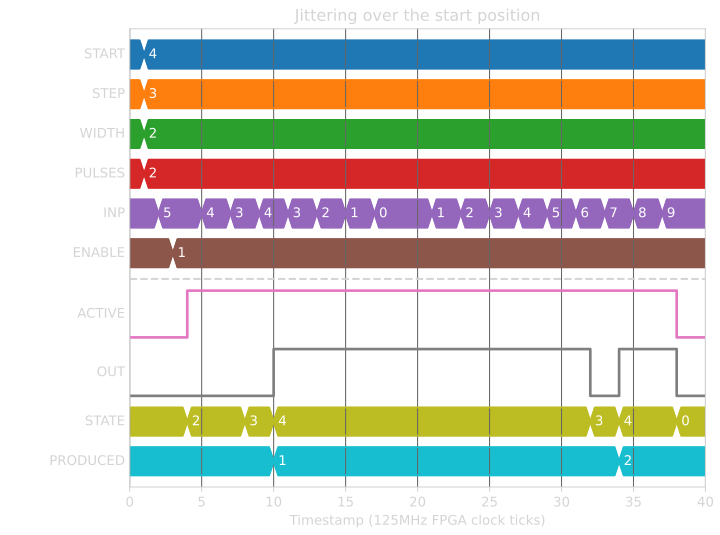
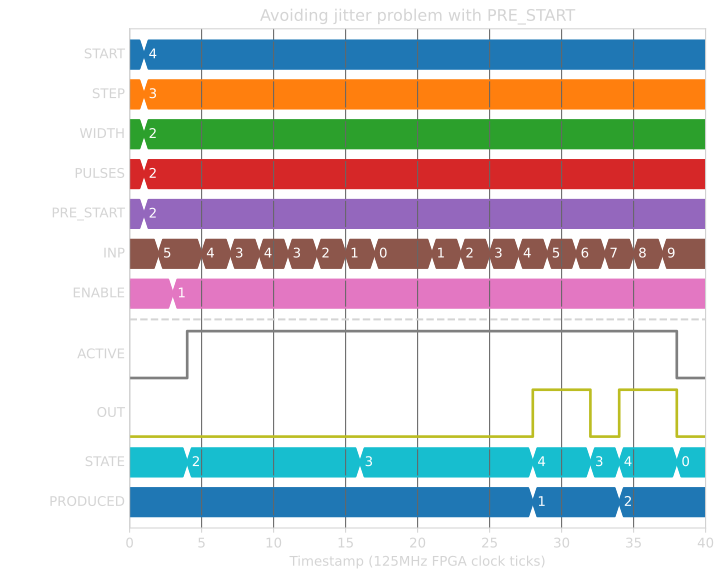
We can fix this by adding to the PRE_START deadband which the encoder has to cross in order to advance to the WAIT_START state. Now INP < 2 (START-PRE_START) is used for the condition of crossing into WAIT_START:
Guessing the direction
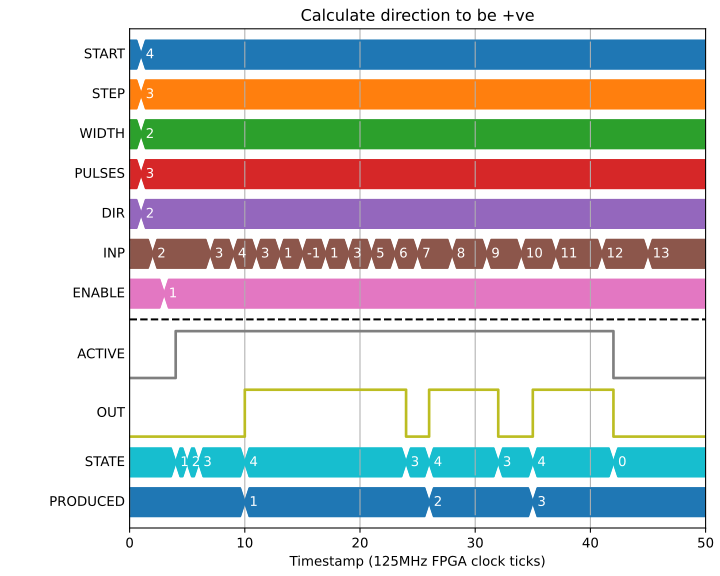
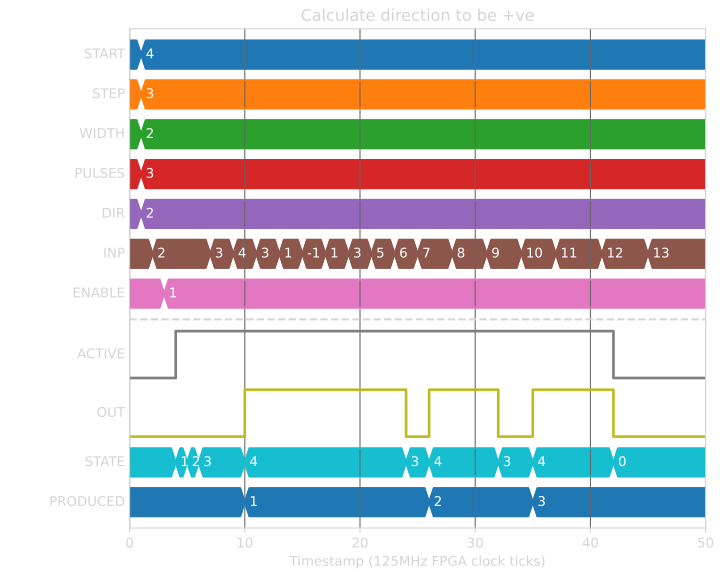
We can also ask to the Block to calculate direction for us:
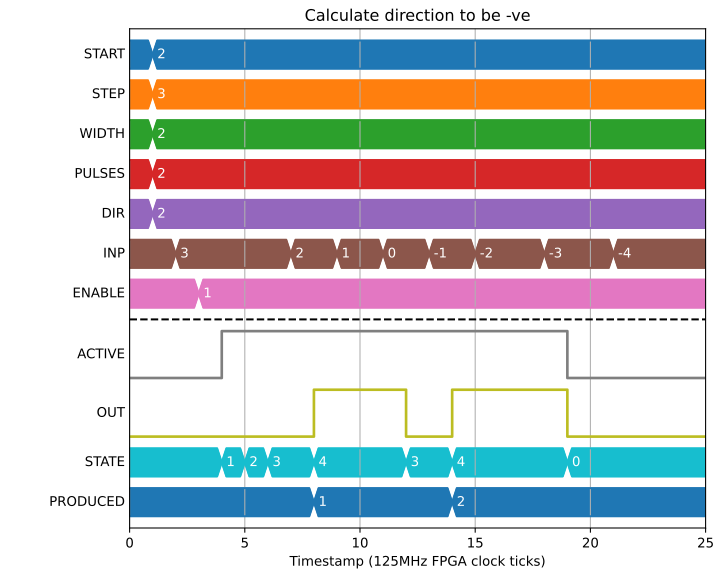
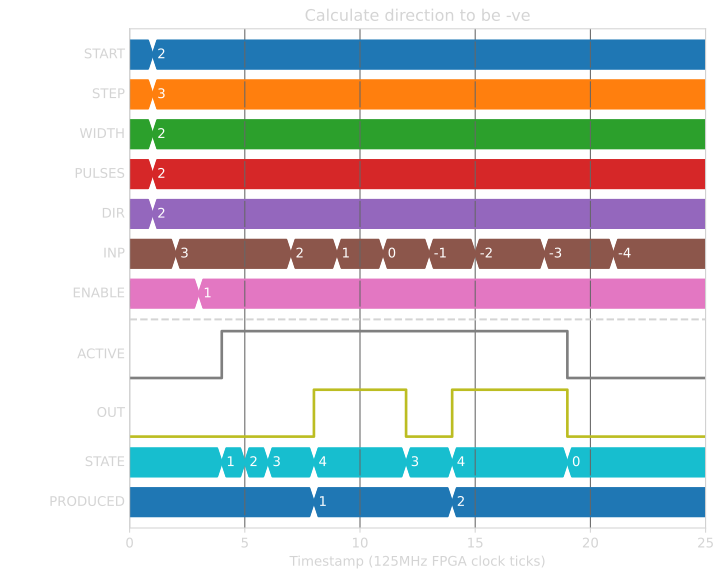
This is a one time calculation of direction at the start of operation, once the encoder has been moved enough to guess the direction then it is fixed until the Block has finished producing pulses:
Interrupting a scan
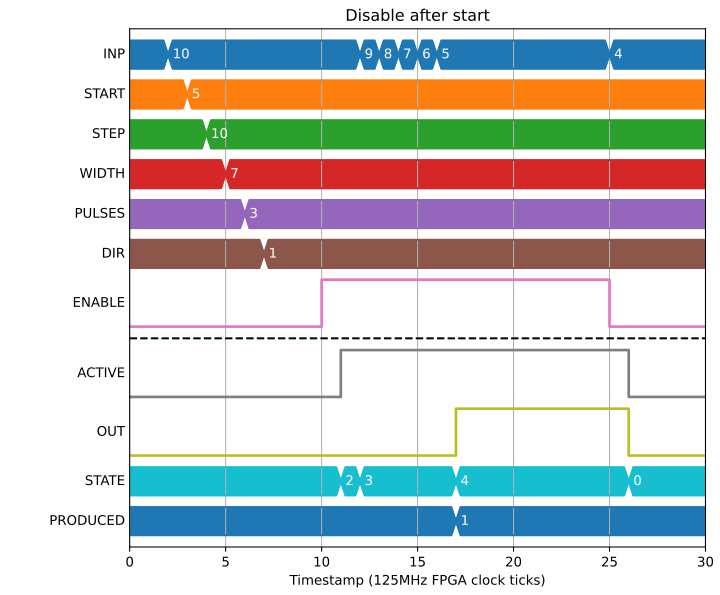
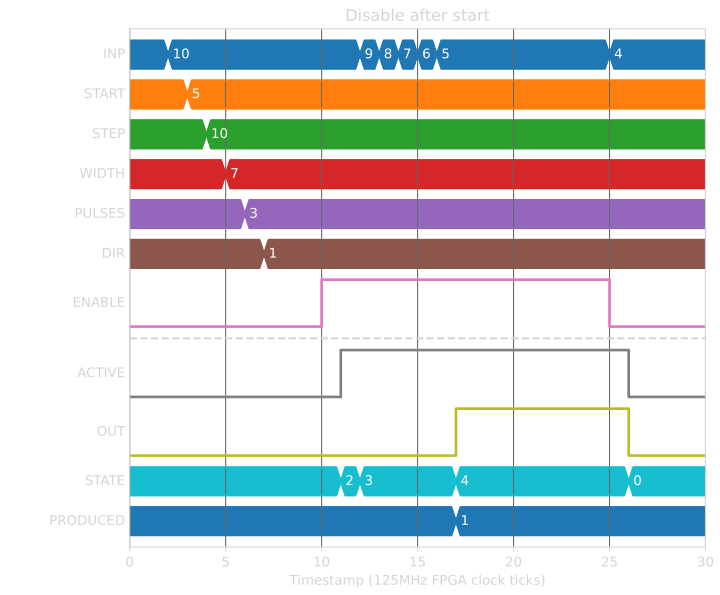
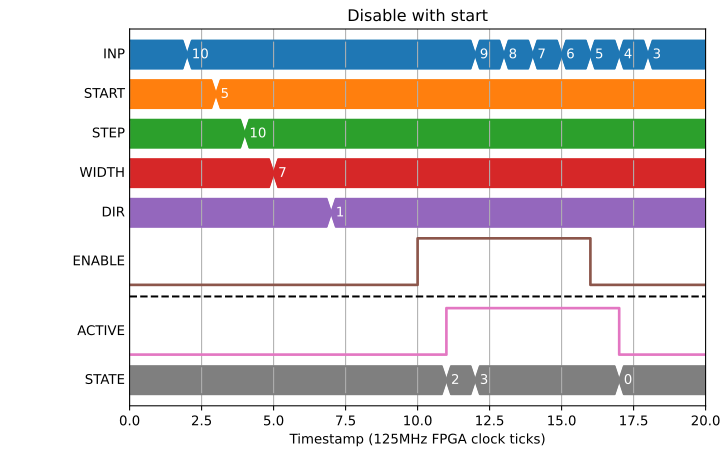
When the ENABLE input is set low the output will cease. This will happen even if the ENABLE is set low when there are still cycles of the output pulse to generate, or if the ENABLE = 0 is set at the same time as a position match.
Position compare on absolute values
Doing position compare on an absolute value adds additional challenges, as we are not guaranteed to see every transition. It works in much the same way as the previous examples, but we trigger on greater than or equal rather than just greater than:
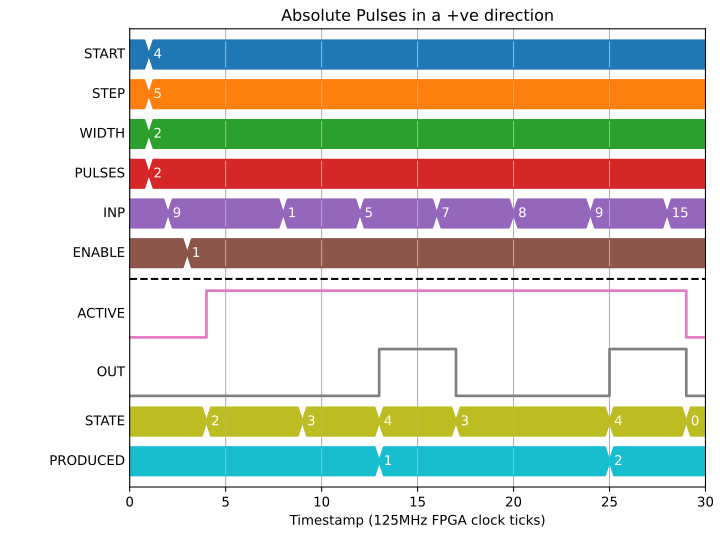
But what should the Block do if the output is 0 and the position jumps by enough to trigger a transition to 1 and then back to 0? We handle this by setting HEALTH=“Error: Position jumped by more than STEP” and aborting the compare:
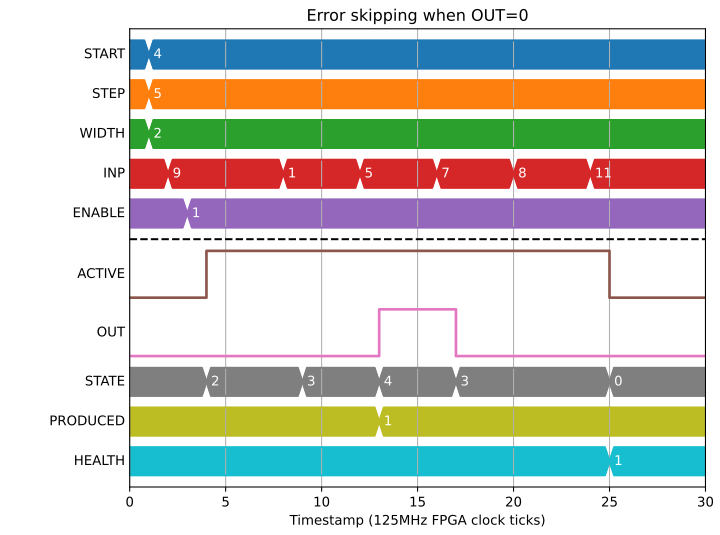
Likewise if the output is 1 and the position causes us to need to produce a 0 then 1:
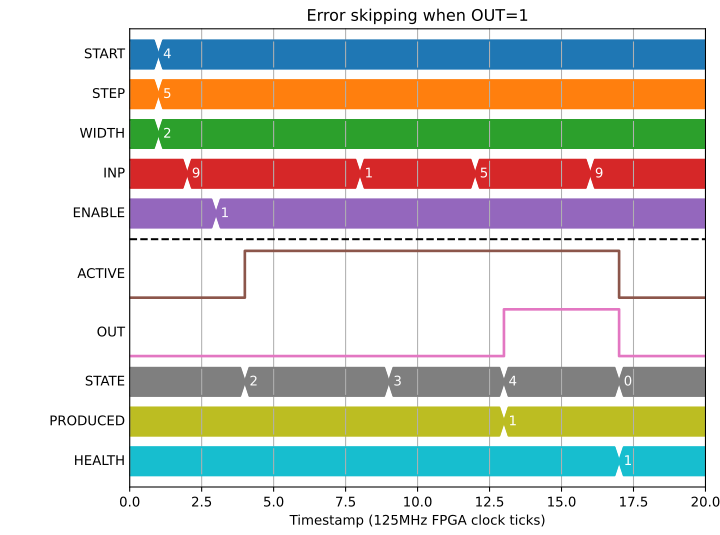
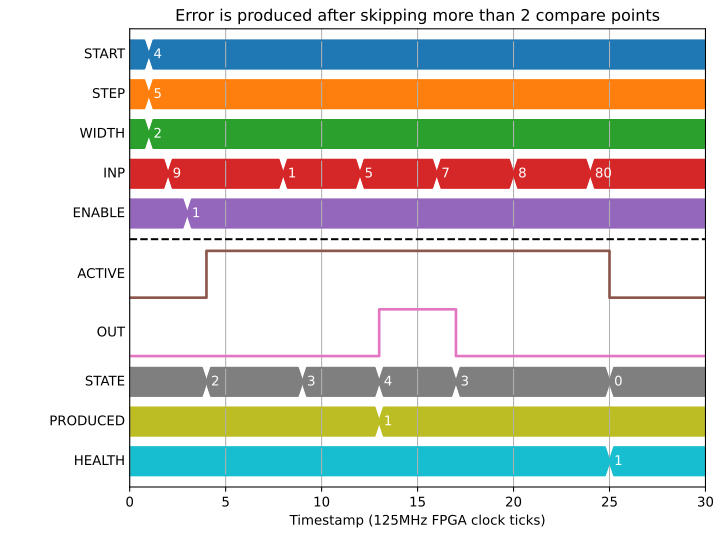
And if we skipped a larger number of points we get the same error:
Relative position compare
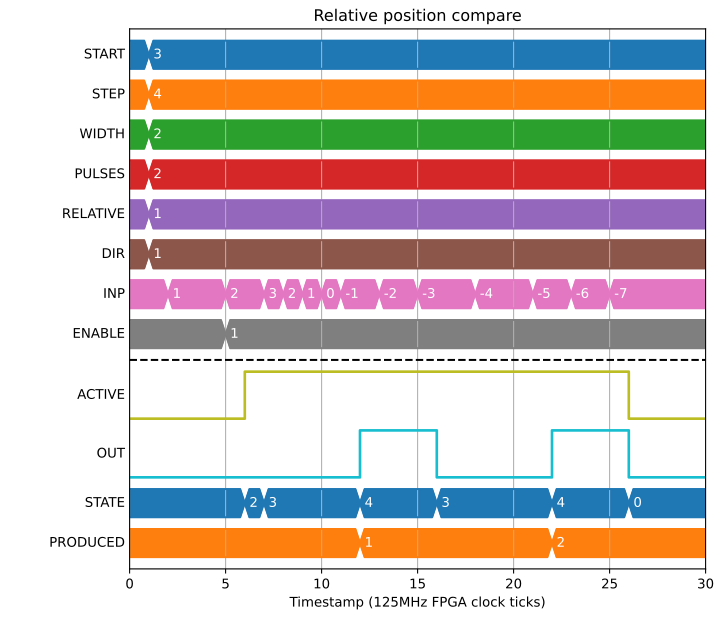
We may want to nest position compare blocks, or respond to some external event. In which case, we expose the option to a position compare relative to the latched position at the start:
If we want it to start immediately on ENABLE then we set START and PRE_START=0:
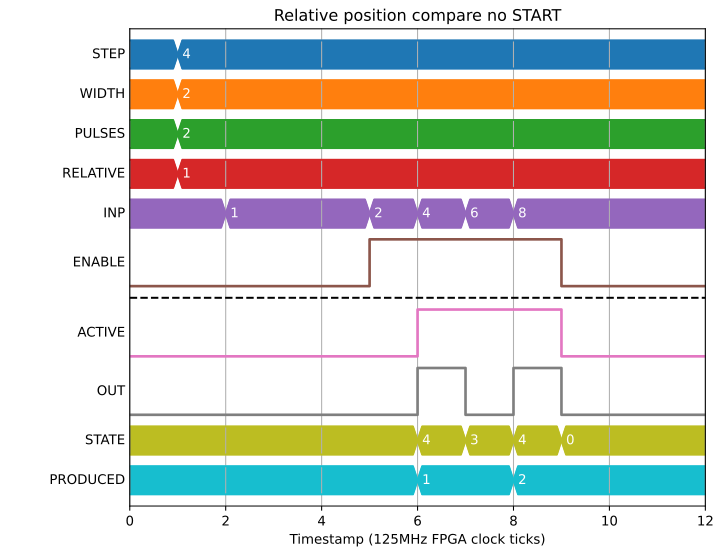
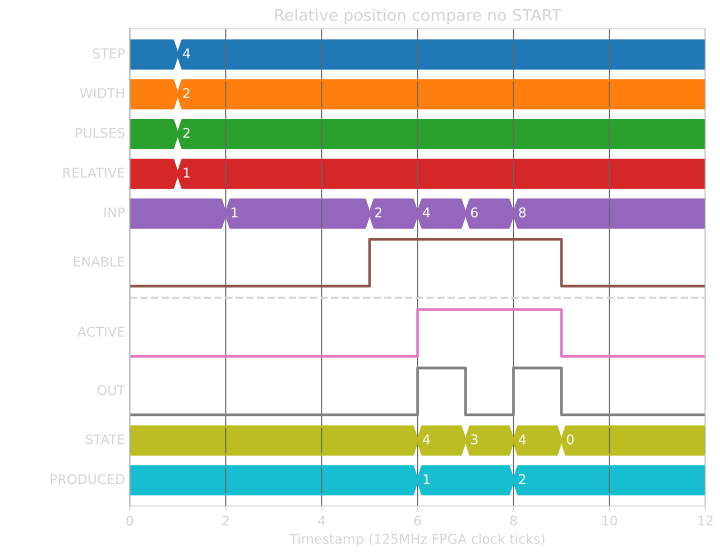
We can also guess the direction in relative mode:
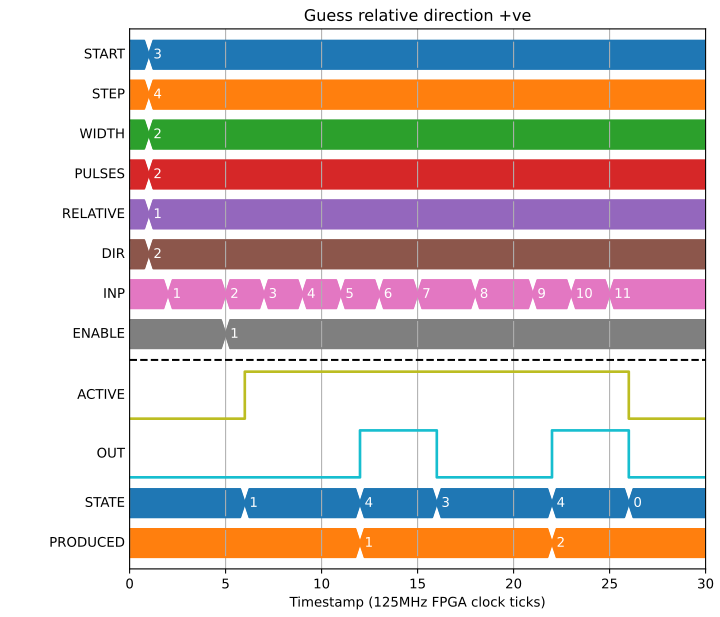
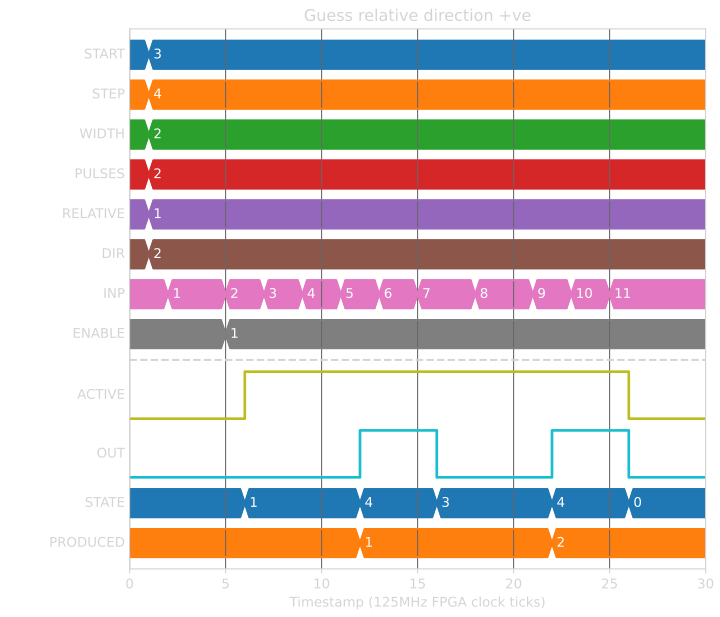
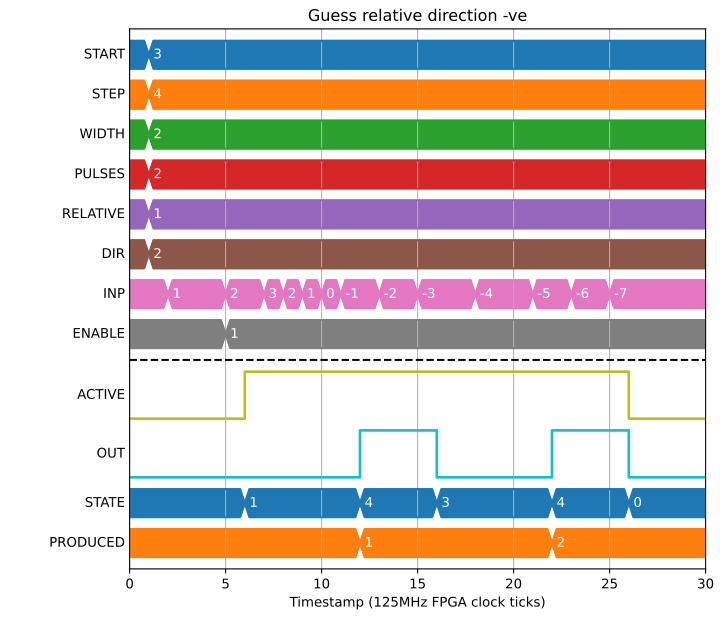
This works when going negative too:
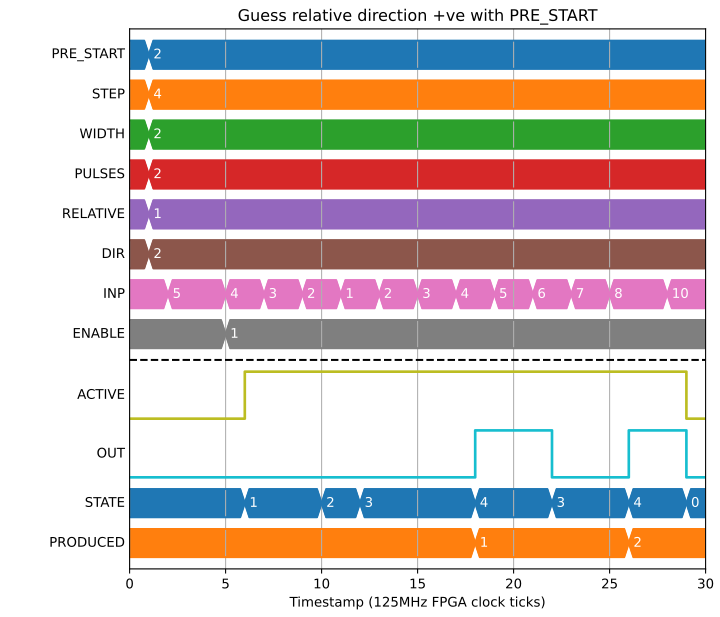
And with a PRE_START value we guess the direction to be the opposite to the direction the motor is travelling when it exceeds PRE_START:
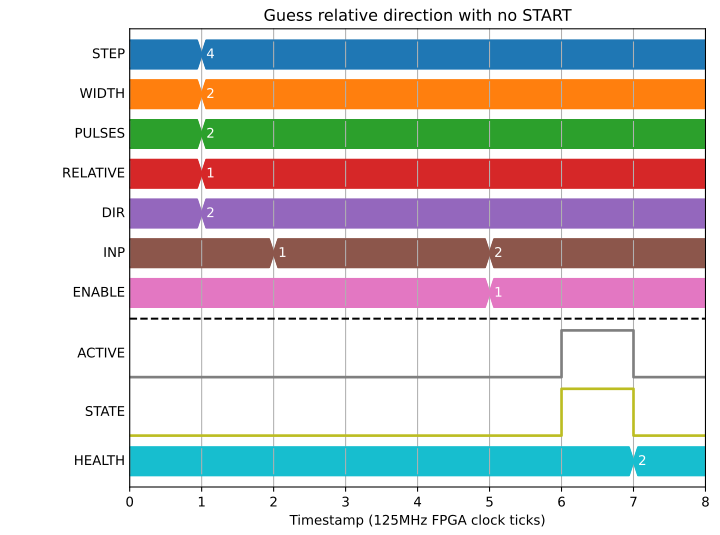
We cannot guess the direction when RELATIVE mode is set with no START or PRE_START though, the Block will error in this case:
Use as a Schmitt trigger
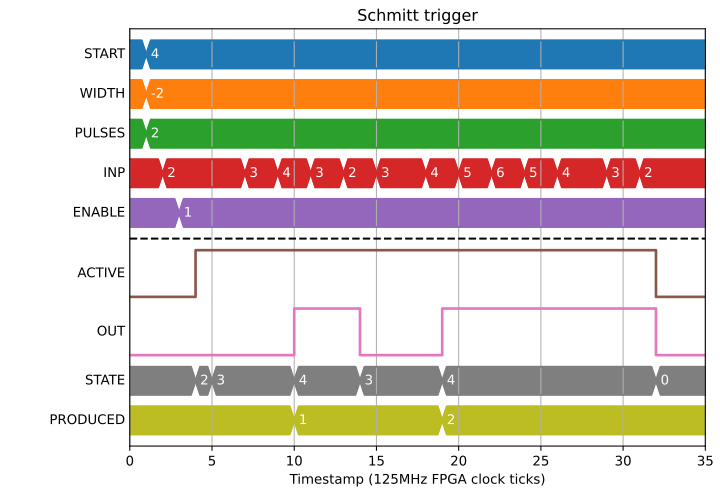
We can also make use of a special case with STEP=0 and a negative WIDTH to create a Schmitt trigger that will always trigger at START, and turn off when INP has dipped WIDTH below START:
We can use this same special case with a positive width to make a similar comparator that turns on at START and off at START+WIDTH, triggering again when INP <= START: