A PULSE block produces configurable width output pulses with an optional delay based on its parameters. It operates in one of two modes:
If WIDTH=0, then it acts as a delay line. The input pulse train will just be replayed after the given DELAY
If WIDTH is non-zero, then each pulse edge that matches TRIG_EDGE will be delayed by the specified DELAY, then generate NPULSES pulses of width WIDTH, with rising edges separated by STEP
Fields
| Name | Type | Description |
|---|---|---|
| ENABLE | bit_mux | Reset on falling edge, enable on rising |
| TRIG | bit_mux | Input pulse train |
| DELAY | time | Output pulse delay (0 for no delay) |
| WIDTH | time | Output pulse width (0 for input pulse width) |
| PULSES | param | The number of pulses to produce on each trigger, 0 means 1 |
| STEP | time | If pulses > 1, the time between successive pulse rising edges |
| TRIG_EDGE | param enum | INP trigger edge |
| OUT | bit_out | Output pulse train |
| QUEUED | read uint 1023 | Length of the delay queue |
| DROPPED | read | Number of pulses not produced because of an ERR condition |
Delay line
If WIDTH=0, then the Block acts as a delay line. DELAY must either be 0 or 5+ clock ticks. TRIG_EDGE, STEP, and NPULSES are ignored.
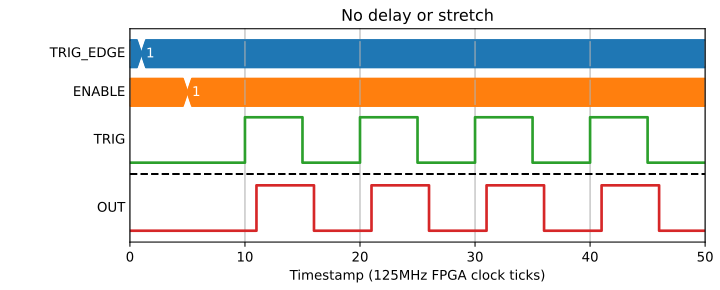
If DELAY=0 the Block is a simple pass through:
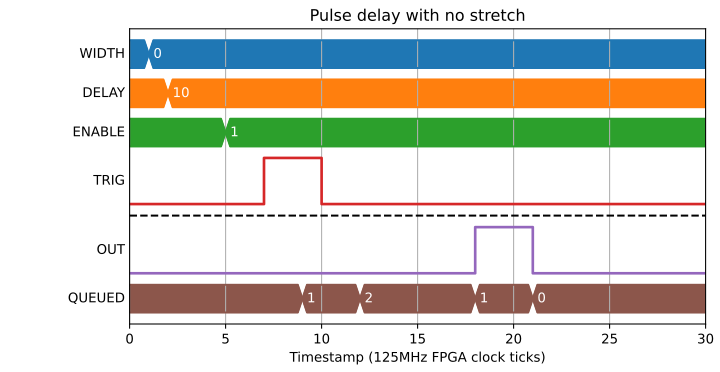
If DELAY is non-zero, rising and falling edges will be inserted in the queue and output after the given DELAY:
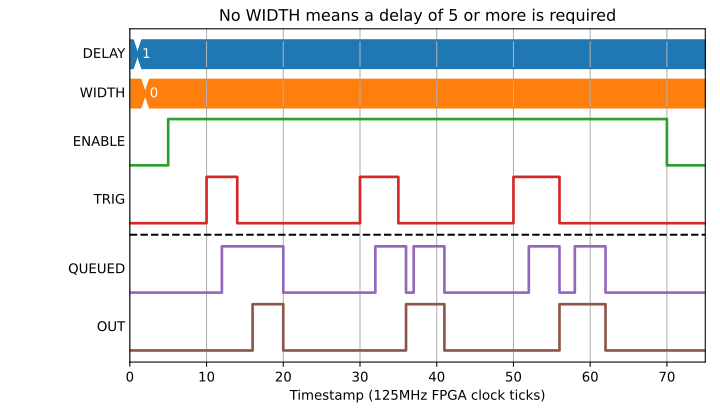
0 < DELAY < 5 will be treated as DELAY=5:
Pulse train generation
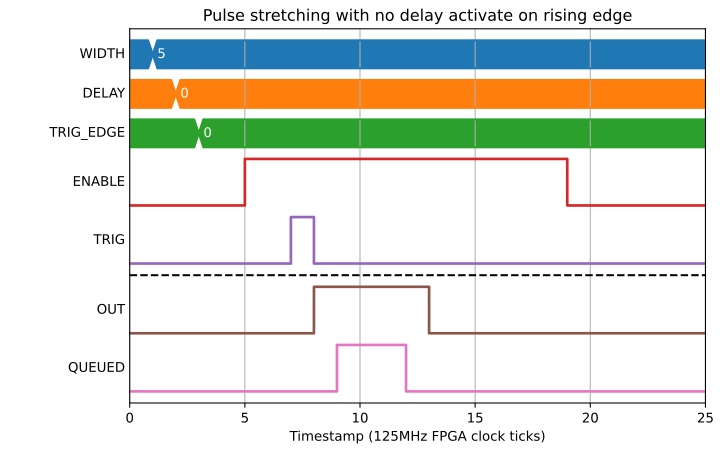
If WIDTH != 0 then the Block will operate in pulse train mode. If NPULSES is 0 or 1 then it will produce a single pulse for each matching input pulse:
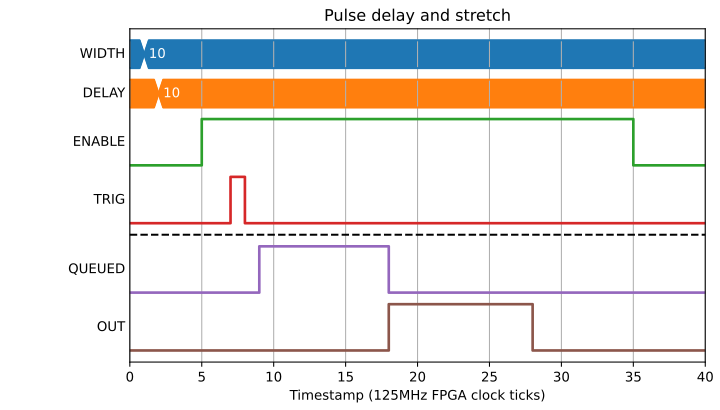
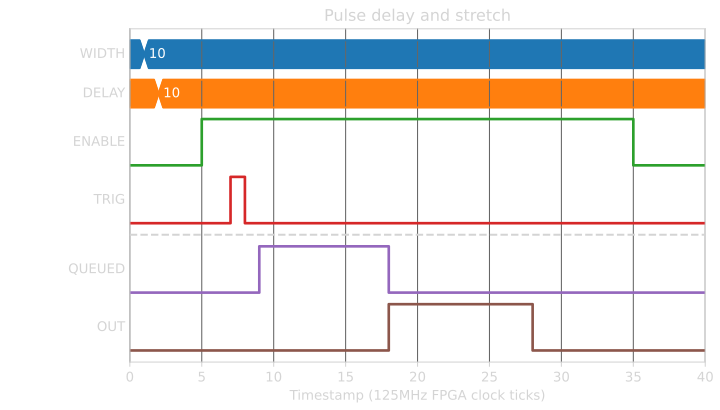
The output pulses are queued, so multiple pulses can be queued before output:
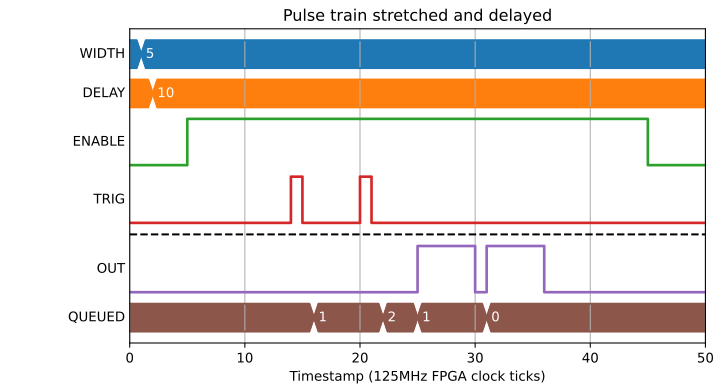
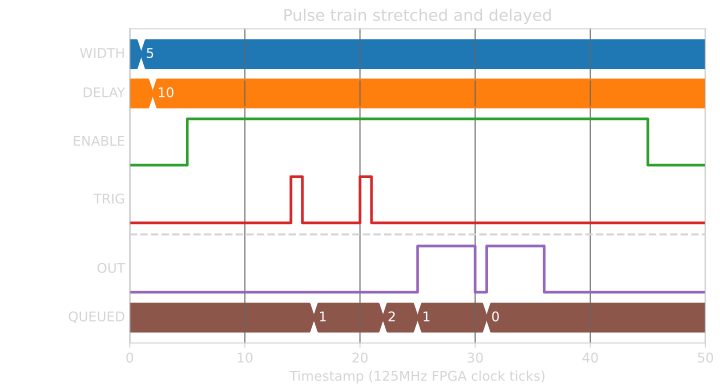
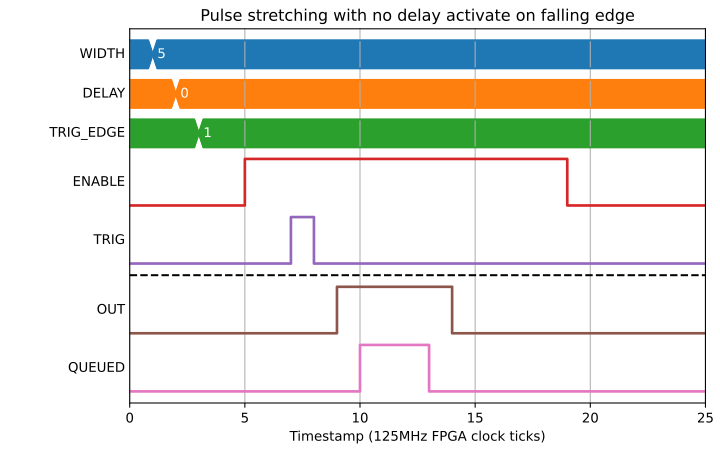
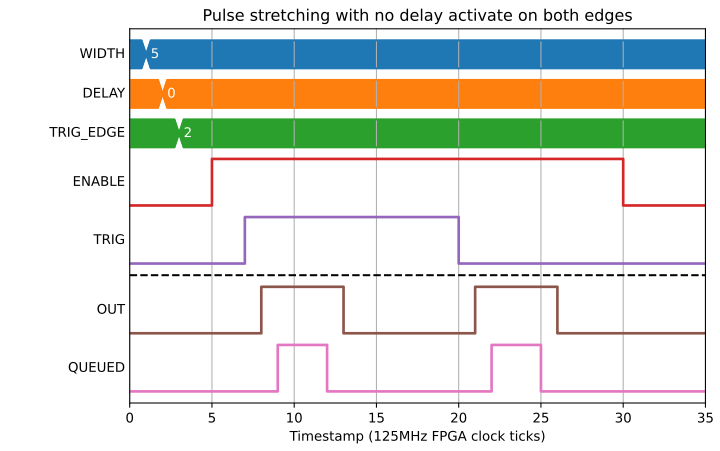
The TRIG_EDGE field can be used to select whether an input pulse queues an output on rising, falling, or both edges:
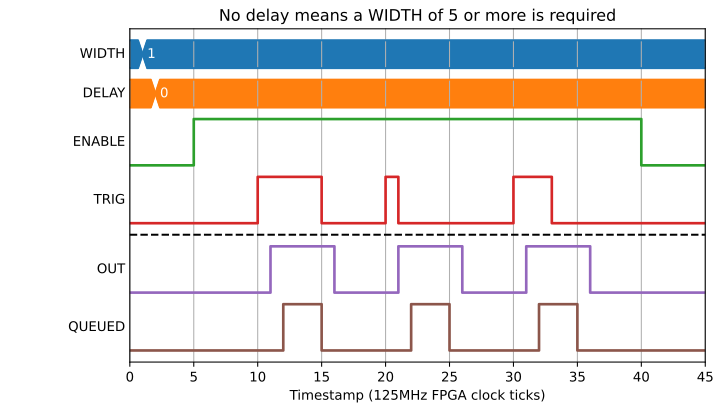
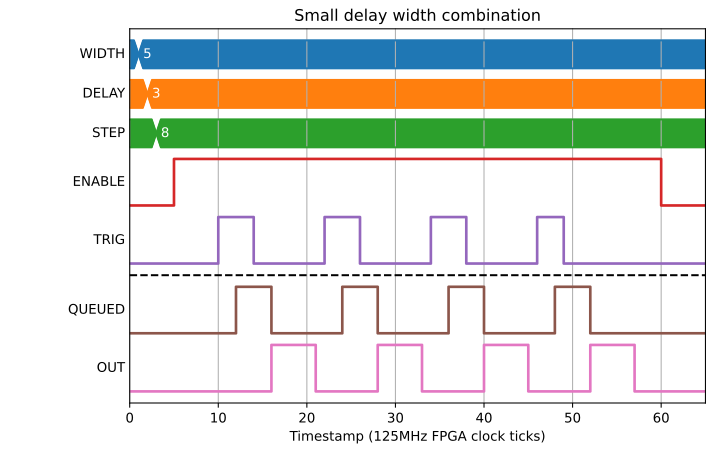
0 < WIDTH < 5 will be treated as WIDTH=5:
If PULSES > 1 then multiple output pulses will be generated, separated by STEP:
Pulse period error
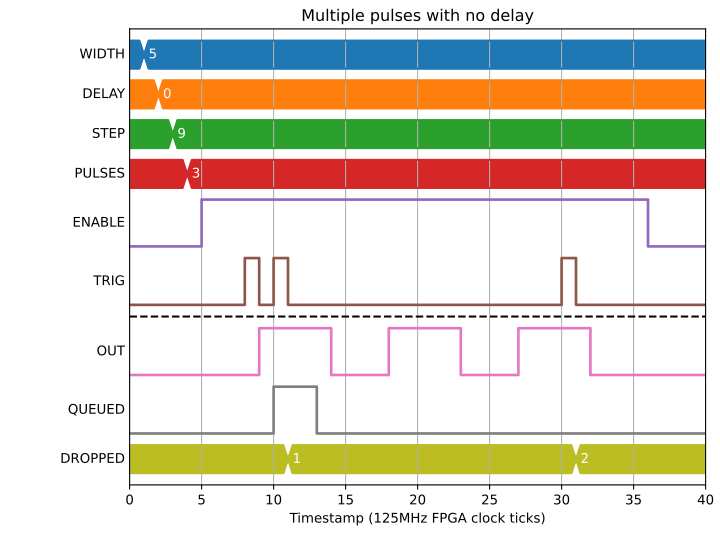
The following example shows what happens when the period between pulses is too short. To avoid running output pulses together, the DROPPED field is incremented and the input is dropped:
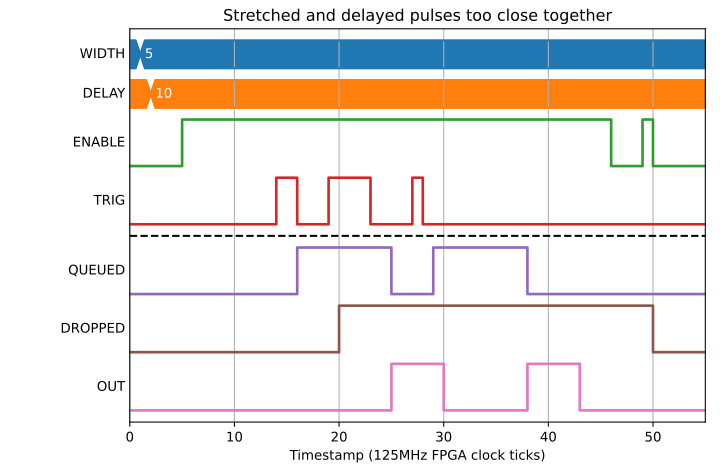
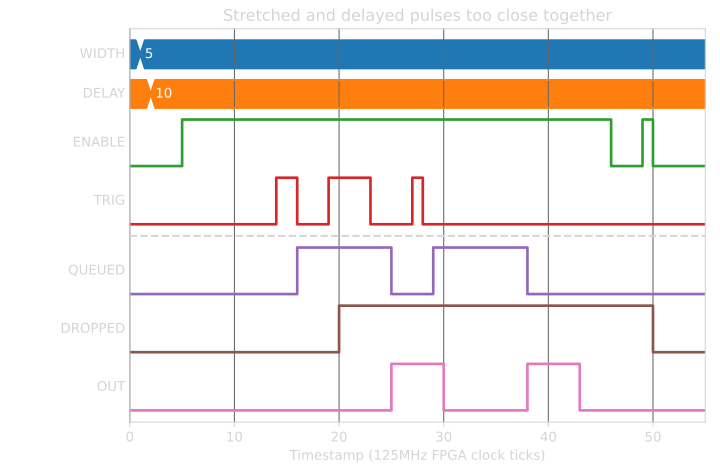
The queue length is 255, so if QUEUED reaches 255 then any new pulse will be dropped and also increment DROPPED.
The DROPPED count is zeroed on rising edge of ENABLE.
Enabling the Block
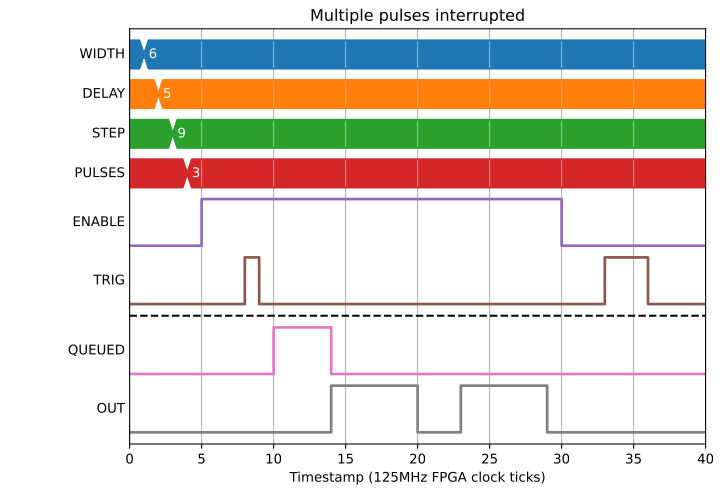
There is an Enable signal that stops the Block from producing signals. Edges must occur while Enable is high to trigger a pulse creation
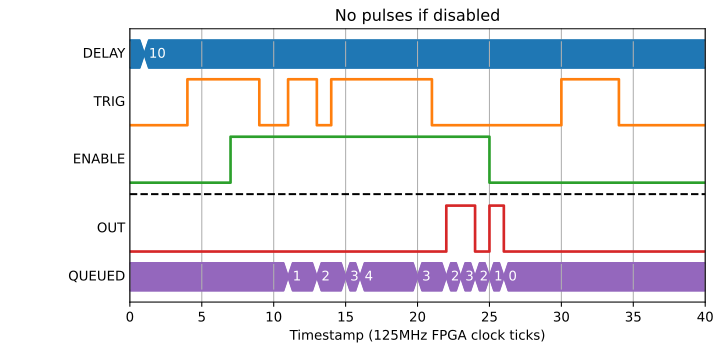
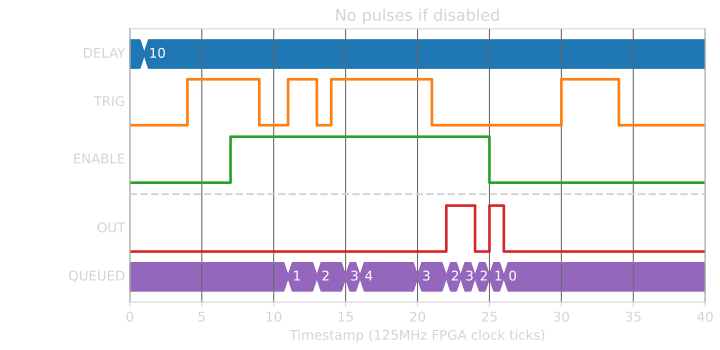
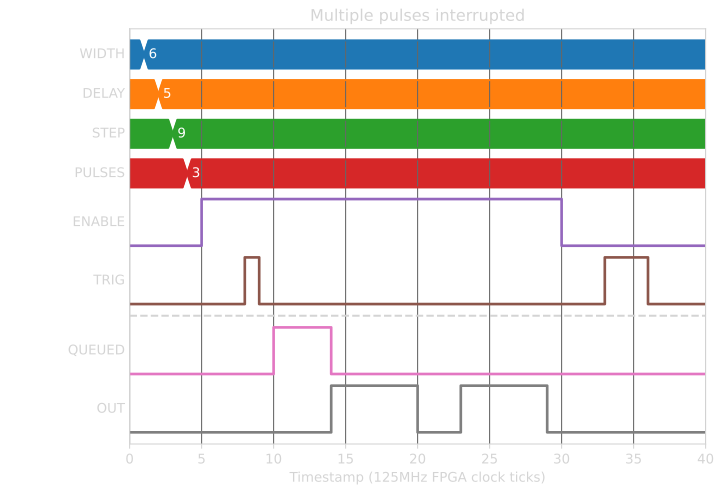
If enable is dropped mid way through a pulse train, the output is set low and the QUEUED output is set to zero.
Changing parameters while Enabled
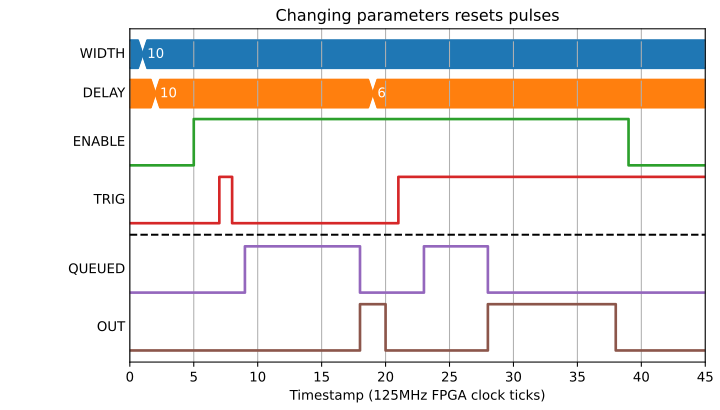
If any of the input parameters are changed while enabled, the queue is dropped and the state of the Block is reset: